
Appearance
Tiled Datasets
A Tiled Dataset lets you reference a pre-rendered tile service in Mapworks using a tile service URL or TileJSON endpoint. This is useful for basemaps, cached map services, and datasets that have already been published as tiles for fast display at multiple zoom levels.
Tiled Datasets are for display and do not support querying or editing features.
To create a Tiled Dataset:
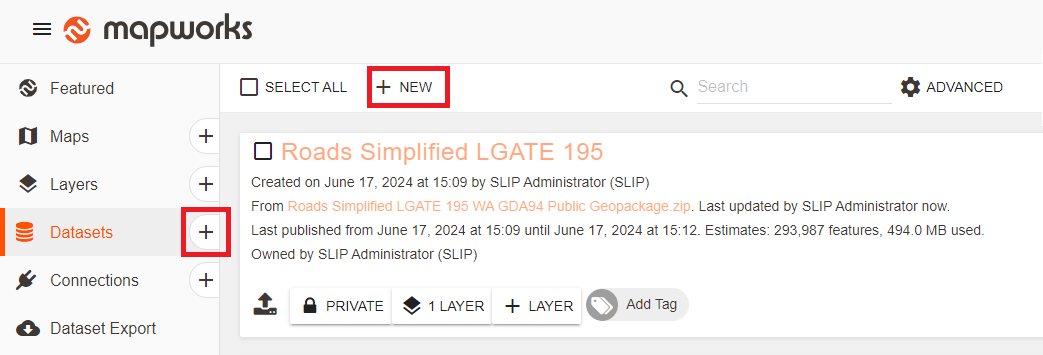
- Go to Mapworks UI
- Click the Create Dataset "+" symbol, or select the Datasets Tab and click New
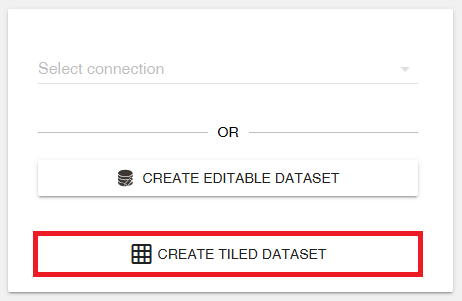
- Click Create Tiled Dataset
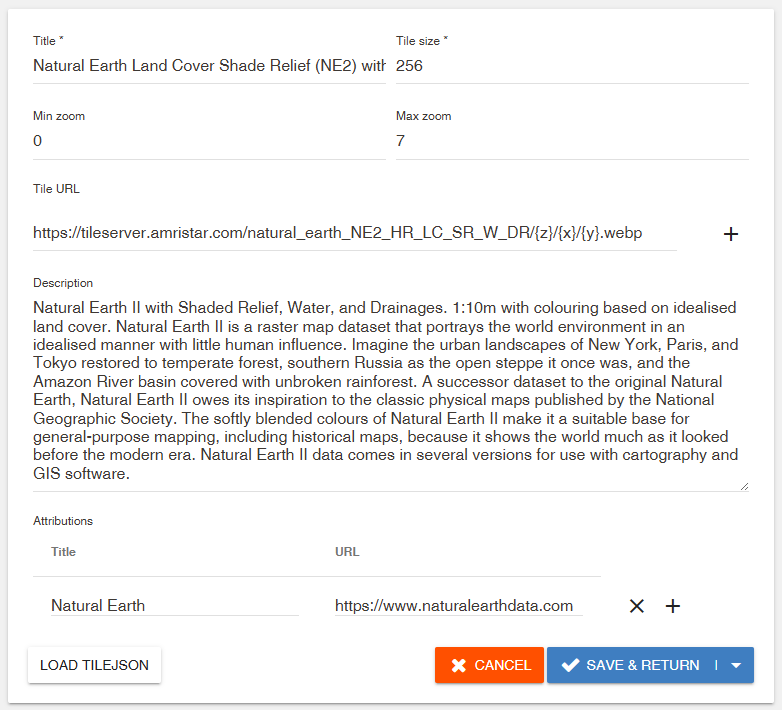
- Configure the dataset
- Title — The name of the dataset in Mapworks
- Tile size — The size of each tile, typically 256 or 512 pixels
- Min zoom — The lowest zoom level where tiles are available
- Max zoom — The highest zoom level where tiles are available
- Tile URL — The URL template for the tile service
- Description — Optional descriptive text for the dataset
- Attributions — Credits for the source of the tiles
📄 Note
For standard web tile schemes, zoom level 0 represents the whole world in a single tile. When you zoom in beyond the maximum available zoom level, Mapworks enlarges the last available tiles, so the map may appear less detailed.
Alternatively, click Load TileJSON and enter the URL to the JSON file. The dataset configuration will be populated automatically. Review the imported settings before saving the dataset.
- Click Save & Return