Appearance
Connection References
Overview
Connections sit at the top of the Mapworks resource hierarchy:
Connection → Dataset → Layer → MapEach connection provides the link to an underlying data source and can have multiple datasets created from it. Understanding these relationships helps you:
- Navigate between related resources
- Understand what will be affected when modifying a connection
- Track which datasets depend on a connection
Viewing Child Datasets
A connection can have multiple datasets created from its data source. Each dataset represents a specific table from the connection.
To view datasets created from a connection:
- Go to Mapworks UI
- Click the Connections Tab and search for the desired connection
- If datasets have been created from this connection, a button will display the number of datasets.
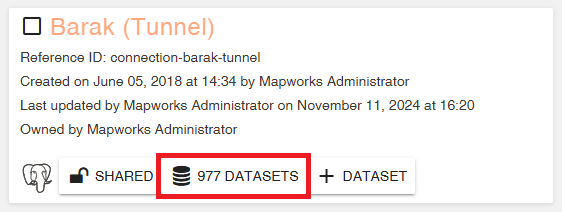
- Click the Datasets button to view a list of all datasets created from this connection.
Understanding Connection Dependencies
Connections are the foundation of the data hierarchy. Changes to a connection can have wide-reaching effects:
| If you modify... | It affects... |
|---|---|
| Connection credentials | All datasets using that connection (may cause data refresh failures) |
| Connection source | All datasets, layers, and maps downstream |
| Connection permissions | Users who lose access will see an exclamation mark on affected layers |
⚠️ Warning
When deleting a connection that has child datasets, you will be prompted with the option to also delete all downstream resources. If you choose to delete them, all child datasets and their layers will be permanently removed. If you choose to delete only the connection, the child datasets and their layers will be left broken and unusable, and cannot be recovered. Always check connection references before deleting.
Navigating Related Resources
From Connection to Datasets
- Navigate to the desired connection
- Click the Datasets button to view a list of all datasets created from this connection.
From Connection to Layers
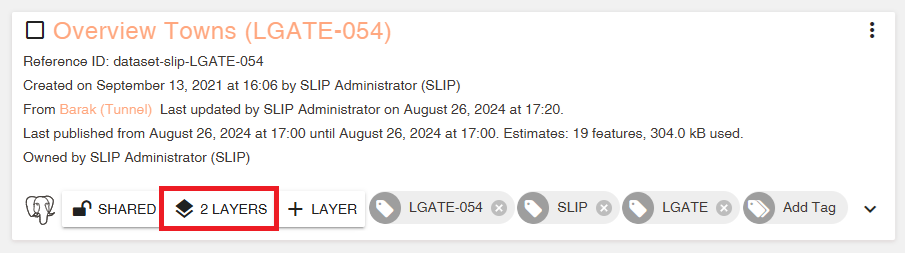
- Navigate to a child dataset
- Click the Layers button to view a list of all layers created from this dataset.
From Dataset to Connection
- Navigate to the desired dataset
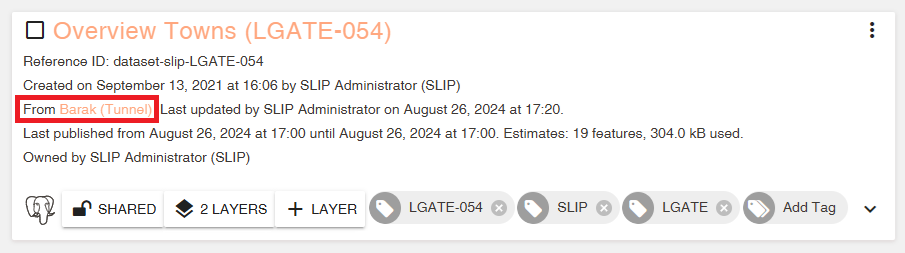
- Click on the parent connection